Important Update for Creality Orders: We're currently experiencing slight delays on our Creality range due to warehouse operations. Affected items may take up to 2 weeks to deliver. Thank you for your understanding — we're working hard to get your order to you as soon as possible.
 Guaranteed Best Price
Shop with Confidence knowing you've got the best price at a trusted supplier
Guaranteed Best Price
Shop with Confidence knowing you've got the best price at a trusted supplier


Mach Mill Wizard
Product Description
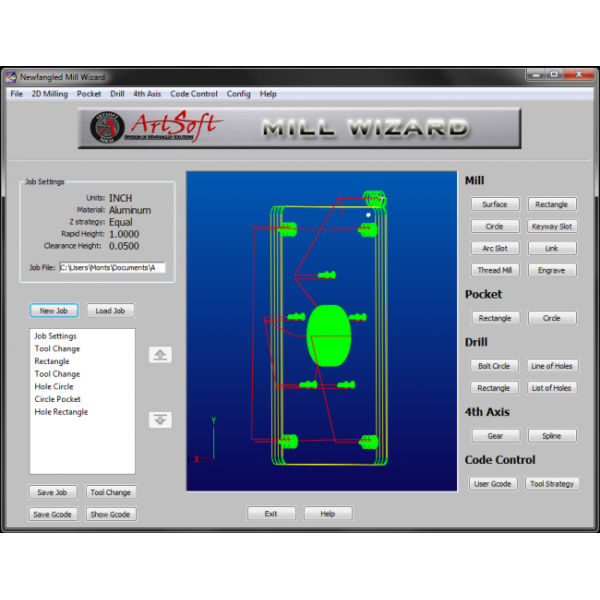
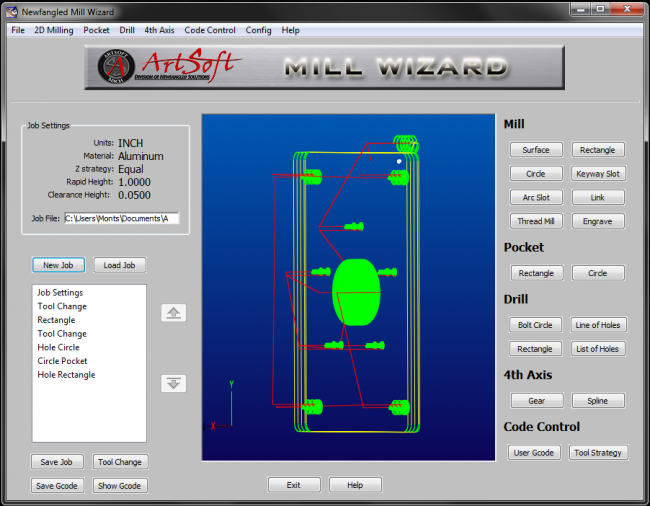
Unlike our well-known Mach3 Add-Ons, the Mill Wizard software is a standalone application designed to generate G-code for milling components. It offers a more advanced solution, effectively bridging the gap between a basic G-code editor and a fully featured CAM software package. Creating parts is simple—users can perform individual operations and seamlessly link multiple processes together.
The operations control window allows you to easily adjust the sequence of operations, select the appropriate tools, and refine cutting strategies with speed and precision. Editing and duplicating operations is straightforward, significantly reducing the time required to produce a complete toolpath.
The Mill Wizard also features a user-defined material library, tool database, and machine limit settings. With the ability to save and reload ‘job’ files, revisiting previous projects, making small adjustments, or running parts with different tooling is quick and efficient.
Note: As the Mill Wizard is not a full CAM software package, it does not support importing CAD drawing files.
Product Features
Licensing
The Mill Wizard is licensed for full use. The program may be run in demo mode without a license. In demo mode all operations are functional except ‘Save G-code’ and ‘Show G-code’. The Mill Wizard can be used without a license to create and save job files. The Job file can then be opened with a licensed copy and used to create the G-code. This method provides some flexibility for users who only purchase one license.
The license is linked to a specific PC, requiring a different code for each PC. Use the ‘About’ screen, accessed by the ‘Help’ menu to get the PC code. You must have this exact PC code from the actual PC you wish to license and generate G-code. To obtain your license key, Click the ‘copy ID to Clipboard’ button in the ‘about’ dialog box when running the software in demo mode and paste this ID number in the appropriate location on the website when purchasing your license.
IMPORTANT NOTE: The LICENSE will only work for the Computer for which you supplied the PC ID. Each PC has a unique ID code and the license works in coordination with this code.
If you upgrade or exchange your PC, it will be necessary to contact licensing for a replacement.
When available, updates for the Mill Wizard are posted on the Downloads & Update page. To update to the newest version, download the current version of the Mill Wizard and install it. Your customized tool table, material table, and machine settings should not be affected by updating.
*It is recommended that users update the Mill Wizard when new versions become available to acquire new features and functionality.
Minimum Requirements
MACH3 USB Wired Handwheel Pendant - 4 Axis